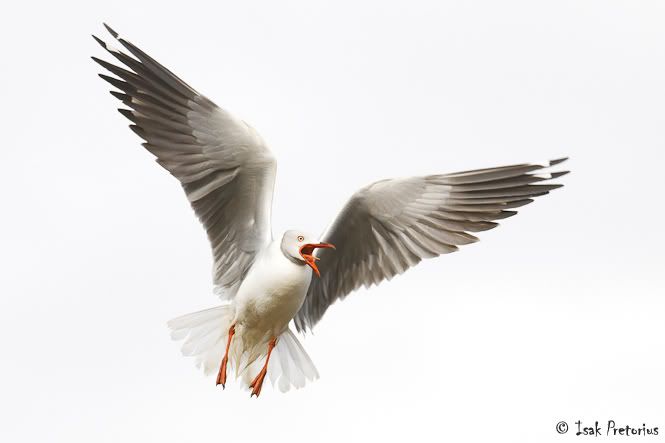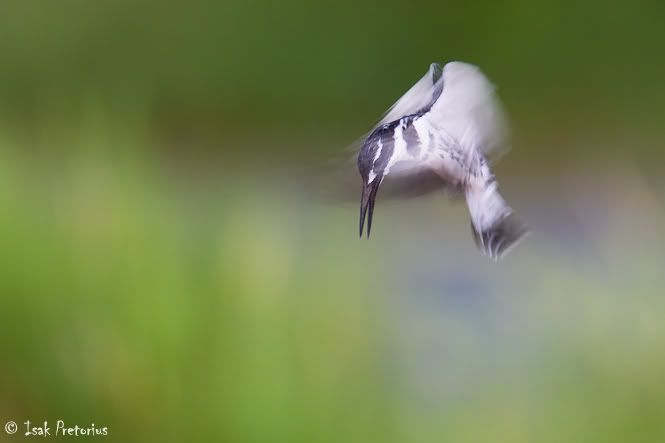
Hello and welcome to my blog where I share my photos and experiences from my travels to the African bush and other wild places.
Showing posts with label INSTRUCTIONAL. Show all posts

Thursday, May 16, 2013

PHOTOGRAPHING SHOREBIRDS

I'm sure all bird photographers have found themselves in the situation before where they drive around in a wilderness of bushveld or grassland in the hope to find a decent avian subject to photograph but without success. We have all started like that, having high hopes to photograph a whole coffee table book of stunning bird photos in our first weekend to the Kruger National Park since taking up photography. Through experience you learn that it does not work like that. It would be easier to find a needle in a haystack than trying to find random birds to photograph without targeting specific species or habitats. If you are new to bird photography I would suggest you hone your skills on shorebirds first. They are typically larger birds, easy to find and there are lots of them!


Scoot!
Marievale Bird Sanctuary, South Africa
Nikon D4 | Nikon 200-400mmf/4 | 1/1000 sec at f/4, ISO 400


Bird photography is the most popular genre of wildlife photography and it's not difficult to understand why. Birds are everywhere and for most wildlife photography enthusiasts who find it hard to be out in the "real" bush often enough bird photography is a welcome substitute. Birds are beautiful and interesting creatures that comes in all shapes and sizes. Their best feature is of course that they fly, and thus we enjoy the technical and creative challenges that photographing birds brings. It becomes a way for us to express our love for nature and showcase its beauty. Instead of just sitting and watching we enter into their world and we try to do their beauty justice with our images.


Our desire to capture new and exciting images of birds leads us up mountains, down valleys, to national parks, to private reserves, local reserves, bird hides and often our own innovative ideas. Each of these excursions are done with a specific goal in mind, whether it'd be to photograph the breeding colony of vultures at the top of the Magaliesberg mountains, or owls in the spot light of a private safari vehicle, or even just to have a nice Saturday morning in a bird hide at the local wetland ready to photograph anything that moves or hints at flying. In South Africa we find birds in a variety of habitats so it becomes important to focus on specific groups of birds in a specific habitat at a time when you plan to do bird photography.



A particular classification of birds is called shorebirds and they make for a great first subject for any new bird photographer. There is an exciting new field guide available, "Field Guide to Shorebirds of South Africa by Cowgill and Davis" that will help you find and identify the more common shorebirds in South Africa. Roy Cowgill and Stephen Davis did an excellent job in providing you with all the tools necessary to find and identify these birds. With its guide to classification characteristics and behaviour, identification framework and visual clues it is a vital companion to anyone ready to go out in the field to photograph shorebirds. But which birds are shorebirds exactly? The Oxford dictionary defines shorebirds as those birds that frequents the shore. That would seem quite obvious but not very specific, so here is a list: The most common species under this classification would include storks, plovers, herons, jacanas, sandpipers, darters, flamingoes, cormorants, hamerkop, ibises, spoonbills and coots. Some of the lesser known species include snipes, flufftails, bitterns, wagtails, crakes, rails, avocets and stilts.


Shorebirds, like the name suggest, are confined to the narrow strips of shore that lines the dams, lakes, rivers, wetlands and oceans - that is where their food is. These thin strips of habitat that you find throughout South Africa is a relative small area where you can find a large concentration of birds. Shorebirds are mostly long and slender birds with large flat feet, thin long legs and elongated beaks designed to pick their food from water, mud or between rocks. Their diet consists of fish, crustaceans, insects and other small organisms found along a shore, in mud or shallow water. Their long thin legs are designed for them to wade through the shallow water in search of a meal. They become very focussed as they vigorously "work" an area they deem productive while they patrol the shore, up and down, in an attempt to capitalise on every opportunity for food. They are very predictable in this way which is important to take advantage of as a bird photographer.


Purple Heron
Marievale Bird Sanctuary, South Africa
Canon 1D Mark II N | Canon 600mmf/4 + 1.4x | 1/2500 sec at f/6.3, ISO 800


One of the keys to photograph birds is to get close enough to them to have the subject large in the frame. A mere dot in a landscape where you struggle to figure out what the subject is, is not considered bird photography. Shorebirds are generally some of the larger bird species so you can still get fabulous results without having to crawl right up to them. Fixed hides or even mobile hides are the traditional place to photograph shorebirds from, but if the habitat allows I suggest getting down to the ground and sit or lie on the shore itself. As you walk to your spot along the shore the birds will fly off but just sit very still and wait a few minutes. The birds will all come back to where they were foraging before, right next to you, without taking too much notice of you and that's when you can take incredible photos.


For bird photography I recommend a long lens of at least 400mm, fast focussing camera with a high burst rate and a good support system. Everyone will tell you that you can never have a long enough lens for birds, but that's only partly true. Consider this: when you photograph from close to ground level you'll notice a lot of heat waves and optical noise in the air between you and your subject. Thus, you'll find that the image quality improves when you can get closer to your subject, rather than trying to photograph from miles away with the biggest bazooka you can find. Any digital camera body would suffice but the newer models do offer improved autofocus, tracking and image quality even in low light conditions. These will not only help you to better capture action sequences but it will also allow you to make great quality large prints. Last but not least you need good support for any long lens, for the stability to create sharp images. As a minimum you'll need a good beanbag, but alternatively you can invest in fancier systems like tripods with fluid or gimball heads.
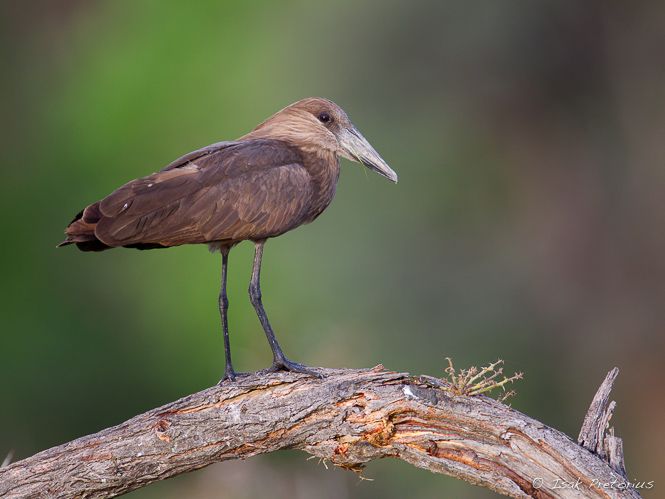

Hamerkop
Okavango Delta, Botswana
Canon 1D Mark IV | Canon 600mmf/4 | 1/500 sec at f/4, ISO 400


The three most important things to consider when photographing birds are the background, light and angle. To create a striking image you need the bird to stand out from the background. This will immediately draw the viewer's attention to the subject. To create the soft blurred background you should use the smallest f-stop that the lens allows, like f/4 for example. This effect is also enhanced when the subject is further away from the background or when you photograph from a lower angle. Choose the colour of your background carefully. It is more striking to photograph the bird against a green or neutral background than against the blue sky.


Next to consider is the angle and quality of light. The beautiful palette of colours of any bird are best appreciated in soft light, when the sun is at a low angle, and with the sun directly behind the photographer. The soft light will reveal subtle detail in all the colour tones while the front lit light will illuminate every part of the bird visible in the photo. Don't let overcast conditions stop you from going out. Wide angle photos in overcast weather can create lots of mood and atmosphere and its the best type of light to take close-up photos that will reveal the textures of a bird.


Taking photos from the birds' level will create more dramatic images. It creates the feeling that you're part of the bird's world rather than being an outsider who just snapped a photo of a ground bird from the top of a vehicle. In bird hides you are unfortunately restricted, but when the opportunity allows you should try to get as low to the ground as possible when photographing shore birds.
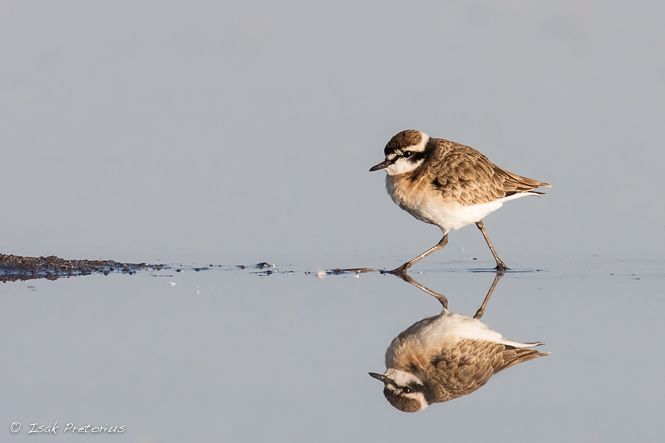

On Patrol
Northam, South Africa
Canon 1D Mark II N | Canon 600mmf/4 + 1.4x | 1/2000 sec at f/8, ISO 640


Here are a few other tips for creating stunning images of shorebirds:

1) Wait for the bird to do something interesting. They often stretch their wings, or indicate that they will take to flight.
2) Early mornings are your best chance to have no wind and flat water when you want photos with no ripples in the water.
3) Only include the full reflection of a bird in the water in your photo when the water is clear and when you have a perfect reflection.
4) Try to isolate a single bird or group of birds from the rest. This will create a strong focal point in your photo.
5) Avoid having other birds in the background behind your subject. This might be difficult when there are many birds like is often the case along a shore, so choose your subject carefully.
6) Don't photograph birds facing away from you. It's best when the bird is tilted slightly towards you.


The best advice would be to have fun and be patient. Enjoy creating beautiful pieces of art!

Isak

Sunday, July 29, 2012

TOP 10 TIPS FOR BEGINNERS

So you recently bought your first DSLR camera and lens, booked a photographic safari and are ready to photograph a whole coffee table book of stunning wildlife photographs in one trip! The only problem is that you think the "P" stands for Professional and the "A" for Amateur on the camera dial! Here are my top 10 tips for any beginner photographer.


1. Focus on the eye

The viewer's attention is always drawn to the eye of the subject. This is the strongest element in your photo that needs to be well illuminated and importantly, IN FOCUS. It's the element that gives "life" to the subject. The closer you are to an animal the more important this becomes as the depth of focus increases (levels of focus on a subject). Use a single autofocus point and move it to eye of the subject while maintain your striking composition.


The king
Masai Mara National Reserve, Kenya
Canon 1D Mark IV | Canon 600mmf/4 | 1/1000 sec at f/4, ISO 400


2. Look for a plain background

Choosing the right background is one of the biggest considerations for the angle to photograph your subject at. The better you can separate your subject from the background the more striking it would be. This would keep the viewer's attention ON the subject. Choosing a shallow depth of field to create a blurred background is one way of achieving this, the other way is to change your position in relation to the subject until you find a uniform background without any distracting elements.


Juvenile green-backed heron
Kruger National Park, South Africa
Canon 20D | Canon 600mmf/4 + 1.4tc | 1/1000 sec at f/5.6, ISO 200


3. Compose! Not in the middle

When you look at the impressive African animals through your view finder, you are likely to be drawn in and be captivated by their beauty. This usually leads to the cross hair syndrome where you, like a hunter, fire straight at your subject composed in the middle of your frame. Remember to consider composing your subject away from the centre of the frame, leaving it the theoretical space for the subject to look into or move into. Try to find elements in the opposite corner of the frame to balance your subject with.


Elephant on the plains
Masai Mara National Reserve, Kenya
Canon 1D Mark IV | Canon 600mmf/4 | 1/800 sec at f/8, ISO 200


4. Wait for good light

The photographs that stand out above the rest are the ones that have either captured incredible action, invoked an emotion by the viewer or have a wonderful mood and feel to it. One way to create mood and feel in a photo is to use spectacular light, the kind of light that you get in the first or last hour of sunlight. This light is soft and gold in color with the low angle of the sun illuminating the subjects from the side. Make sure you get out early to give yourself the best chance of finding a good sighting in the early morning light.


Zebra portrait
Okavango Delta, Botswana
Canon 5D Mark II | Canon 600mmf/4 | 1/800 sec at f/4, ISO 200


5. Be ready!

When you capture a subject doing something interesting it can take a photo from ordinary to spectacular. A lion yawning, a bird lifting its wing during takeoff or a cheetah smiling. You have to patiently wait but be ready for a special moment that usually happens unexpectedly. It helps to learn your subject's behavior. A bird gives an indication just before it will takeoff, a lion will yawn after waking up and cheetah cubs become playful after a meal. The key is to keep your eyes open and be ready no matter how uneventful things might seem at that moment.


Elephant doomsday
Amboseli National Park, Kenya
Canon 1D Mark IV | Canon 600mmf/4 | 1/250 sec at f/5.6, ISO 200


6. Make sure it's sharp

Whether you photograph on aperture priority mode like most wildlife photographers or any other mode, always take notice of your shutter speed to make sure your photographs are sharp. This becomes increasingly important when photographing action or moving animals. In aperture priority mode the shutter speed can be modified by changing the aperture and ISO values. With good camera and lens support a portrait can be photographed at anything from 1/50 to 1/320 second shutter speed, walking animals from 1/400 to 1/800, running animals from 1/1000 to 1/1250, flying birds from 1/1600 to 1/2500, and small, fast flying birds at 1/3200.


Malachite exit
Marievale Bird Sanctuary, South Africa
Canon 1D Mark II N | Canon 600mmf/4 | 1/3200 sec at f/8, ISO 800


7. Make sure your subject is in focus!

This might seem obvious, but I still see a fair number of photos these days where the background is in focus instead of the subject. This is mainly due to the camera setup with all the focus points active, leaving the camera to choose where in the frame to focus. Change this setting to use a single autofocus point instead. Make sure that point is over your subject and so be in control of where the camera will focus. Another advantage of this setting is that the camera does fewer calculations to determine focus and thus focusses much faster and more accurately.


Impala pride
Kruger National Park, South Africa
Canon 5D Mark II | Canon 400mmf/5.6 | 1/320 sec at f/5.6, ISO 200


8. Don't forget about vertical compositions

We are often so captivated with what we see through the viewfinder that we forget to pay attention to composition and the camera settings. Remember to compose each photo and that in nature some shapes and scenes lend themselves to a vertical composition. Don't forget to turn your camera 90 degrees and photograph in portrait mode. Tall animals like giraffe, head portraits of most animals, birds with long necks like flamingoes and herons, and landscape scenes with significant clouds might all merit a vertical composition.


Double vision
Rietvlei Dam Nature Reserve, South Africa
Canon 20D | Canon 100-200mmf/5.6 | 1/30 sec at f/8, ISO 200


9. When the light gets tricky, switch to manual mode

In tricky lighting situations like spotlit animals in the dark, or backlit subjects in low light, it becomes increasingly difficult to get your exposure right. The camera struggles to calculate what the correct exposure should be and as a result one usually ends up changing the exposure compensation vigorously, resulting in poorly exposed or blurred photos. Since the light is low we want to use a large aperture (small f-stop) and a shutter speed fast enough for a sharp photo. Switch to manual mode and keep modifying your camera settings, i.e. f-stop, shutter speed and ISO until the your histogram confirms the correct exposure.


Queen of the night
Mashatu Game Reserve, Botswana
Nikon D3s | Nikon 200-400mmf/4 | 1/200 sec at f/4, ISO 6400


10. Get close, go wide

I often see portfolio's with mostly tight shots and head portraits of animals. The worst is when people crop significantly to produce similar photos but end up with poor quality and pixelated images. The tight portrait shots have great impact but remember to also take photos that showcase the animals in their natural environment. A leopard photo from the Kalahari desert should look different to a leopard photo from the Okavango Delta! Use a wider lens to include the environment and get close to your subject to have it large in the frame.


Kalahari lizzard
Kgalagadi Transfrontier Park, South Africa
Canon 5D Mark II | Canon 70-200mmf/2.8 | 1/320 sec at f/8, ISO 100

Tuesday, June 12, 2012

SPEED UP LIGHTROOM

Many of you would agree with me that Lightroom has become the leading photo management software and it has certainly been an integral part of my digital workflow for many years now. I initially started with Lightroom 2, then upgraded to 3 and now recently to Lightroom 4, which I love. The improvements they have made in each upgrade satisfied most of my personal requirements for this software and resolved the issues I had with it at that time.


Develop Module in Lightroom 4.1


I have compiled a list of recommendations that might help you improve the performance of your Lightroom setup regardless of which version you might be running. I currently use Lightroom on a slow computer by comparison (Macbook Pro 15", 2.8 GHz Core 2 Duo, 8 GB 1067 MHz DDR3 RAM, 7 200 RPM 750 GB hard drive, running Lion OSX with 150 000 photos and videos in my catalog) and thus I can clearly see how these reccomendations impact the performance. I have listed them in the order starting at the most important. Please feel free to email me at isakpretorius@gmail.com if you have any additional inputs and I will keep this list updated!


1) UPGRADE COMPUTER SPECS

Faster hard drive, faster processor and more RAM (memory). This one is quite obvious and upgrading any of these components should make a difference. I've noticed a big improvement when upgrading my RAM from 4 GB to 8 GB and my hard drive from 5400 to 7200 RPM.


2) ENOUGH AVAILABLE HARD DRIVE SPACE

Some people suggest you should have at least 50% of your local hard drive space available. I've noticed that if I keep at least 10% of my local hard drive space available it makes a significant difference in Lightroom's performance. Thus, on my 750 GB hard drive I make sure I keep more than 75 GB space available.


3) CLOSE UNNECESSARY APPLICATIONS

For the seasoned computer user this is a no-brainer. All applications use processing power and RAM, thus Lightroom will run much faster when it does not have to share resources with the other applications.


4) KEEP THE CATALOG ON YOUR LOCAL HARD DRIVE

The Lightroom catalog file is a database that stores small jpg versions of each file, development changes made to the images and associated data like keywords, collections and star rating. The catalog is effectively what you see on the screen when you use Lightroom. You can still run the catalog of Lightroom and see your photos even if you are not connected to your original photo files. There is a lot of data that continuously move between the application and the catalog file as you use Lightroom. Thus, it is important to give your computer the fastest possible access to the catalog file.


5) RESTART OCCASIONALLY

As most IT professionals know, switching a computer off and on again solves most of the problems users encounter. When I have not restarted my computer for about a day and I encounter sluggishness from Lightroom I simply restart my computer. Whether this is based on logic like memory leaks for example I'm not sure, but it usually does improve the performance again.


6) BACKUP AND OPTIMIZE AFTER SIGNIFICANT CHANGES

Optimizing your catalog regularly is good practice. I've noticed that after adding or deleting lots of images my system becomes slow but after optimizing the catalog the performance returns to the level I'm used to. Backing up your catalog and storing it on another disk is recommended to make sure you don't loose your catalog when your hard drive crashes. I've setup my Lightroom to prompt me to backup and optimize after every exit. I mostly skip this, but once a week or after significant changes I do select to backup and optimize.

Lightroom > Catalog Settings > General > Back up catalog > Every time Lightroom exists


7) RENDER PREVIEWS IN ADVANCE

With both the standard-sized and the 1:1 previews rendered there should be no delay in displaying the images in a grid, full screen size and zoomed to 100%. It is frustrating when clicking on a photo, zooming to 100% and then having to wait while it builds the 1:1 preview for the first time. I usually select the new images in my catalog and initiate the building of the 1:1 previews before I go to bed to let it run over night. If you have never done this before it might take a few nights before everything has been built.

Library > Previews > Render Standard-Sized Previews Library > Previews > Render 1:1 Previews


8) KEEP YOUR PREVIEWS

Lightroom automatically deletes the 1:1 previews after a while. This means that you end up with the same problem of having to wait for a few seconds every time you zoom an image to 100%. Lightroom can be setup never to delete the 1:1 previews. I've noticed that when setup like this Lightroom runs much faster since it does not continuously have to search through my images to see which previews it needs to delete.

Lightroom > Catalog Settings > File Handling > Automatically Discard 1:1 Previews > Never


9) SET YOUR PREFERENCES

Make sure you adjust the size of your previews to fit your screen resolution. If your screen is 1440 pixels wide for example then building your previews as large as 2048 pixels will make your system unnecessarily slow. Choose the option closest to, but not smaller than your screen resolution. Set the preview quality to medium instead of high. You won't see the image at the best quality while you edit it, but this might make such a big improvement in performance that it will be worth it.

Lightroom > Catalog Settings > File Handling > Standard Preview Size > 1440 pixels Lightroom > Catalog Settings > File Handling > Preview Quality > Medium


10) LEAVE AUTO WRITE XMP TURNED OFF

When you work with other applications like Adobe Bridge for example it might be beneficial to have this feature turned on. What it does is it stores all changes made in Lightroom, e.g. keywords or contrast and brightness, in an XMP file next to the original file. The changes you made in Lightroom will be reflected in Adobe Bridge and visa versa. It does slow Lightroom down, so my advice is to switch this feature off regardless. You could still export the files with an accompanied XMP file from Lightroom even if you have this feature turned off.

Lightroom > Catalog Settings > Metadata > Automatically write changes into XMP > "uncheck"


11) RUN IN 64-BIT MODE

Running Lightroom in 64-bit mode will utilize all of your RAM and not just 2GB which is the ceiling for 32-bit operating systems. If you use Mac it automatically runs in 64-bit. Windows users should check which version they run.


12) FASTER CONNECTION TO EXTERNAL DRIVES

If you keep your image on an external drive then upgrading the speed of the drive or the connection type will improve performance. In most cases the limiting factor is the connection type. Upgrading it from a USB 2 connection to a Firewire 800 connection for example will make the connection significantly faster. Here is a list of common connection types, listed from fastest to slowest: eSATA, USB 3, FireWire 800, USB 2, FireWire 400, USB 1


13) INCREASE THE SIZE OF THE CAREMA RAW CACHE

While you edit images in the Develop Module Lightroom renders new high quality previews with each adjustment you make. It stores and access the file you are working on in the Camera Raw cache. The cache is a specific folder on your hard drive assigned for this task and you have the option of increasing its size. By increasing the size you allow more images to be stored in the cache and performance will be greatly improved as you go back and forth between editing a selection of images. After all the images in your selection have been edited you can purge the cache to make room for new ones. My suggestion is to increase the cache to 30 GB.

Lightroom > Preferences > File Handling > Maximum Size: > 30 GB Lightroom > Preferences > File Handling > Purge Cache


14) SMALLER CATALOG

Lightroom 2 certainly had problems with large catalogs. I have been running Lightroom 4 with a large catalog without any problems. My workflow involves only marking photos to delete during the month, but then at the end of each month I bulk delete them all at once. After the bulk delete I optimize my catalog again. It might just be my imagination but common sense would also suggest that after decreasing the size of the catalog Lightroom does run faster.


15) DEFRAGMENT THE HARD DRIVE

As you add, delete and move files on the hard drive, its available space is no longer in a single continuous block. Without enough continuous space the system has to break up files and split them across your hard drive in the available small spaces. This is called file fragmentation and slows the system down. By doing a disk defragmentation you can improve the performance of your system. This can be done manually every now and again on the Windows operating system while Mac hard drives do this automatically.


16) INSTALL LIGHTROOM AND OS UPDATES

Most software are continuously being improved with updates released by its software developers. These often include bug fixes that will improve the performance of your system, the operating system (e.g Windows 7 or Mac's Lion OSX) as well as your software applications like Lightroom. It is thus recommended to keep both up to date with the latest updates.


17) TURN OFF THE SECOND WINDOW VIEW ONTO AN ADDITIONAL SCREEN

If you have a computer setup with two screens then Lightroom has the feature of splitting the application across the screens in a second window. This is very handy as you might have the image in grid display on the one screen and the selected image full-screen on the other. On my system I've noticed that browsing through the images using the second screen option slows down Lightroom's performance. I'm not sure why this would be, maybe insufficient power of the graphics card or perhaps Lightroom has to collect too much information to be displayed onto two screens and thus making it slow. Now I have Lightroom open full screen on my Cinema Display while I have other applications like mail and safari open on my Macbook's screen. This seems to work much better.


18) RENDER PREVIEWS OF SELECTION

When I've been working with Lightroom for a while and I choose another collection of images to work with, e.g. selecting a day folder to review images in that folder for the first time, I find that Lightroom becomes sluggish. It becomes slow bringing up the next photo or have a slight delay in showing the next photo clear and sharp. This is frustrating since I know that I've rendered both standard-sized and 1:1 previews for the images in this collection before. The solution I found is without a logical explanaition: I select all the images in the collection I'm working with and render both standard-sized and 1:1 previews again. Lightroom looks through the selection to see which ones to render but finds none since they have all been rendered before. After this "check" the Lightroom performance is back to normal.

Library > Previews > Render Standard-Sized Previews Library > Previews > Render 1:1 Previews


19) TURN OFF INFORMATION IN GRID DISPLAY

In the grid display in the Library Module one can choose the information to be displayed around the thumbnails of the images in the grid. I found that turning off the information speeds up the performance of Lightroom when I browse through the images in the grid display.

View > Grid View Style > Show Extras > "unselect" View > Grid View Style > Show Badges > "unselect"


Click here to learn more about Lightroom and my courses on offer

Friday, October 1, 2010

RATING YOUR PHOTOGRAPHS

Finding your best photographs quickly and easily is essential for any serious photographer. This becomes increasingly important if you have a large photo library. In all the popular workflow packages that photographers use these days, the star rating system is the standard method to distinguish between exceptional, good and average photos in your library. It can be overwhelming and very time consuming to search through thousands of photos when you are looking for your best ones. The objective with star rating photos is thus to filter to a manageable number of photos for each star rating value, rated carefully through your personal well-defined process.


The physical process of star rating photos is relatively simple and can be done with ease in all the popular photo management software packages like Lightroom, Aperture, Bridge or Breezebrowser. In Lighroom, for example, I press the 1, 2, 3, 4, or 5 button on selected photos to rate them. To remove the rating I simply press the 0 key again. The biggest problem I have found with the star rating system when looking at our guests' rating process is when the standard for the different rating values are not well defined by the user, they end up getting confused about the rating value, and that results in many over and under rated photos.


I've come up with my own simple and effective star rating system which requires minimum effort but provides me with the search power that I require to find specific photos. If you tend to take a lot of photos then it becomes increasingly important to follow a process to quickly rate the best photos and eliminate the unusable photos. You can save yourself a lot of time if you never have to look at any unusable photos twice. The most important initial objective for me when downloading new photos is to rate them. I "develop" the photos much later in my workflow, when I have time, usually only when I need to submit photos somewhere or when I create a collection of photos.


My process works as follows: While I download my images into Lightroom, I start going through them one by one, judging their usability. Photos that are technically correct and properly exposed I mark as 1-star, and photos that are striking and worth another look I mark as 2-star. After I've gone through all the downloaded photos, I delete all the photos that have not been marked with any star values. At this stage I've optimized my effort by getting rid of the unusable photos, but also rating the striking photos as 2-star so that I have a manageable number of photos to search through when I want to see my best work.


The second step is to look through all my 2-star photos. Now I'm looking for striking images that are unique and that have "something special" about them. I mark those images as 3-star: they are typically the ones that I recon stand a good chance to do well in a competition for example. I would also make sure that I keep a maximum of three photos within a series of very similar photos.


The grading standard between 1, 2, and 3-star photos is thus very simple and straight forward, but if you have a large photo library you might still have too many 3-star photos to search through to find your best photos. Now we have to rate the best of the best. My next step is to look at all my 3-star photos within one-month timeframes and rate the best 3-star photo as a 4-star. Thus, within any year timeframe I could have more or less twelve 4-star photos for that year. The last step is to select the very best of the best by picking the best 4-star photo from a one-year timeframe and rate it as a 5-star photo. The 5-star photos are my very best photos, and after a career of photography I might only have a handful of 5-star photos. If someone wants to see my best photos I could show them the few 5-star photos, but also the larger collection of 4-star photos which have been carefully selected but that is small enough not to overwhelm the viewer.


My grading standard is:

1-star: sharp, correctly exposed and usable
2-star: the same as 1-star, but it has something special about it, e.g. great light, action, behavior or a unique species
3-star: the same as 2-star, but the photo is unique and draws your attention
4-star: the best 3-star image within a 1-month timeframe
5-star: the best 4-star image within a 1-year timeframe


1 Star
Greater Kruger, South Africa
Nikon D3s | 270mm (200-400mm) | 1/800sec at f/5.6, ISO 400


2 Star
Kgalagadi Transfrontier Park, South Africa
Canon 1D Mark III | 300mm f/4 | 1/320sec at f/4, ISO 200


3 Star
Okavango Delta, Botswana
Canon 5D Mark II | 70-200mmf/2.8 | 1/1250 sec at f/5.6, ISO 400


4 Star
Mashatu Game Reserve, Botswana
Canon 5D Mark II | 600mmf/4 | 1/50 sec at f/7.1, ISO 1250


5 Star
Mashatu Game Reserve, Botswana
Canon 1D Mark III | 24-70mmf/2.8 | 1/160 sec at f/4.5, ISO 2500


Typically, if you've collected 50,000 usable photos over 12 years your star rating breakdown could be as follows:

1-star: 45,000 photos
2-star: 5,000 photos
3-star: 500 photos
4-star: 144 photos
5-star: 12 photos


Star rating photos adds a lot of value to my photography on many levels. It depends however on my decline to follow my process diligently, but I can now, with minimum effort, enjoy my photography so much more! I hope this blogpost will help you in formulating your own process to make the most of your photography!


- Isak

Thursday, April 22, 2010

IMPROVING YOUR BIRD PHOTOGRAPHY

The bird photographer is an interesting species. We can spend hours inside bird hides, next to dams, or in a car, patiently waiting for that perfect opportunity to come along. It’s the challenge that intrigues us, as well as the satisfaction combined with a sense of achievement when capturing the bird in that spectacular posture. It’s like a drug. If you’re new to bird photography or already a keen bird photographer, I’d like to share a bit of advice and a few tips in this post that might help you.

With the advances in digital photography, wildlife and bird photography has become accessible to most people. The current technology in DSLR (Digital Single Lens Reflex) cameras are so advanced that, to capture a standard portrait of a bird, sharp, and with the correct exposure requires no technical skill any more, unlike in the film and slide days. Unless the portrait is very striking, it is not an achievement and will look very ordinary compared to the images being produced today. This new technology opens up new possibilities, and raises the bar higher and higher for what we classify as good bird photographs today.

To produce a spectacular bird portrait you should aim to incorporate the rules of art and composition in your photograph. Always try to capture the bird doing something unique and interesting.

One of the most challenging genres of bird photography is birds in flight. It is also the most rewarding in my opinion. But, before you attempt to photograph birds in flight, make sure you have the right tools for the job!

Equipment required:

1) DSLR camera. When it comes to cameras there are many options in the market, and it can be overwhelming. As with most things in life, the more expensive it is, the better the quality. Just note that there are two types of cameras, those designed for action photography (which I would recommend) and those designed for portraits and landscapes. Don’t blow your entire budget on the camera, but consider these criteria when buying a camera aimed at bird photography (in sequence of importance):

a. Autofocus tracking speed – the speed at which it “grabs” focus and the ability to keep focus on a moving subject (also a function of a lens)
b. Shutter burst rate (frames per second)
c. High ISO performance – the ability to produce good quality images when shooting at high shutter speeds in low light.

2) Long lens. Good quality glass is probably the most important consideration in any type of photography. For bird photography you can never have enough focal length. Buy the best quality lens that you can afford. Anything from 300mm and longer will work well. Note that the speed and quality of any prime lens is much superior to that of a zoom lens. For example, the Canon 400F5.6 lens is less expensive than a Canon 100- 400F5.6 lens, and even with a teleconverter would focus faster and render better quality images than the 100-400F5.6 lens.

3) Tripod and head (fluid head or Wimberley head)

4) Beanbag and panning plate

5) Door bracket/mount


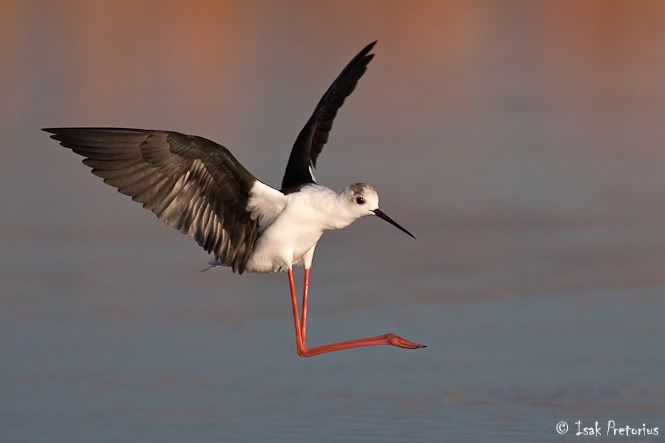
Black-winged stilt flyby
Marievale Bird Sanctuary, South Africa
Canon 1D Mark II N | 600mmf/4 + 1.4tc | 1/4000 sec at f/6.3, ISO 400


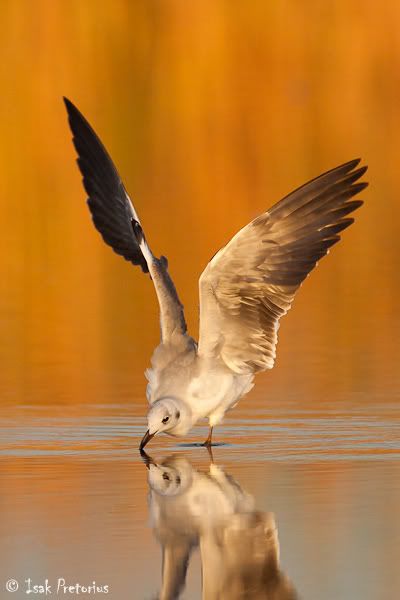
Golden reflection
Marievale Bird Sanctuary, South Africa
Canon 1D Mark II N | 600mmf/4 + 1.4tc | 1/2000 sec at f/6.3, ISO 800


Support

With heavy lenses, good lens support is essential to keep the camera still enough for sharp images or to have a smooth and effortless motion when following moving subjects. Different places require different lens support approaches:

1. Bird Hides – The best solution is to use a tripod. If the hide, seat or opening is too small to accommodate a tripod, then a beanbag with a panning plate will work well.
2. Next to a dam – Tripod
3. From a vehicle – While driving, I use a big beanbag over the door of the vehicle and keep a panning plate attached to my lens. When I see something to photograph, it is essential to waste as little time as possible between stopping and taking my first shots. I found the beanbag and panning to be an excellent solution for this scenario. New designs in door mounts/brackets makes it an attractive option, especially when you stop your car at a place where you’ll be photographing for a while, and have a lot of time available to setup the contraption.


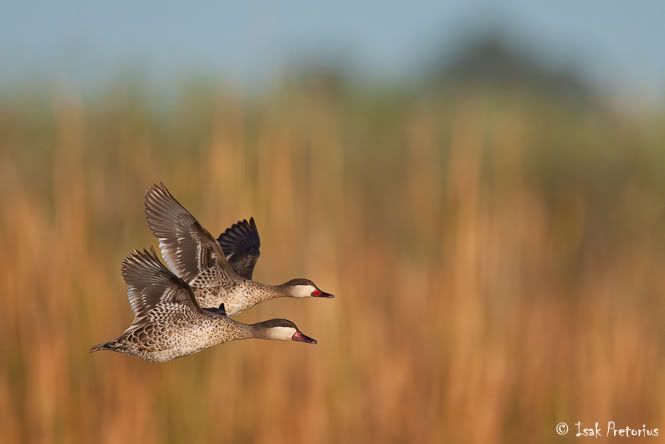
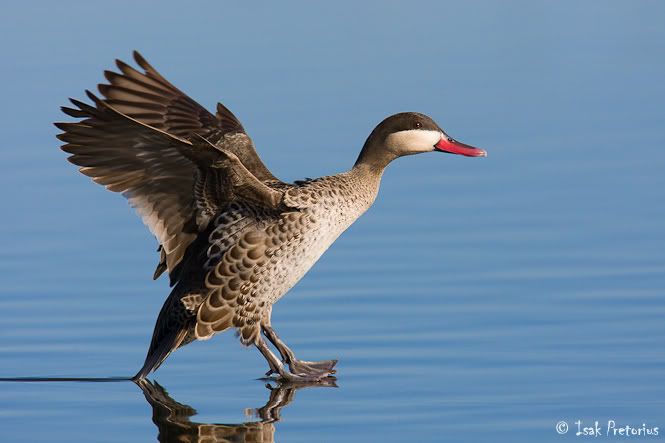
Red-billed teals
Marievale Bird Sanctuary, South Africa
Canon 1D Mark II N | 600mmf/4 + 1.4tc | 1/5000 sec at f/6.3, ISO 640


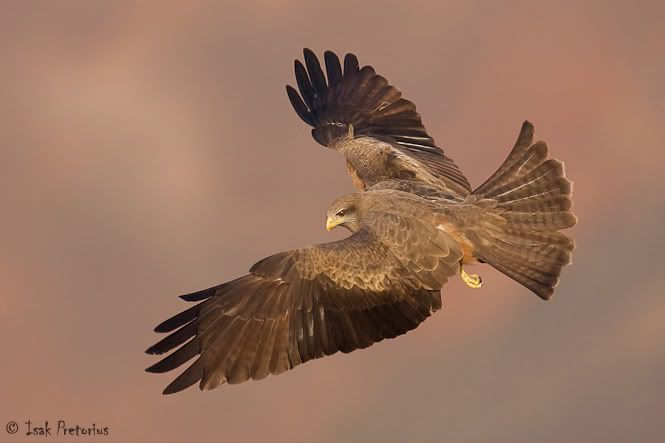
Air brake
Drakensberg, South Africa
Canon 1D Mark II N | 600mmf/4 | 1/2500 sec at f/5.6, ISO 500


Camera settings

Fast moving subjects like birds in flight requires fast shutter speeds to freeze the moment and have a sharp image. I use Aperture Priority mode because I want to control my depth of field, and adjust it in combination with my ISO value to produce the required shutter speed. I usually
photograph small, fast moving birds at about 1/2500th of a second. With larger birds, like vultures, you can still get sharp images with as slow as 1/800th of a second.

Evaluate your scene and adjust the exposure compensation for correct exposure. When the scene is darker than neutral grey you’ll have to underexpose the image, and overexpose it when the scene is very bright. For example, a small bird against a dark background would require about -2/3 exposure compensation, while a bird on a dead branch of a tree against the bright blue sky would require about +2/3 exposure compensation. One of the advantages of digital photography is the ability to view your images on the screen at the back of the camera. I always advise people to check their exposures regularly.

Remember to have your camera on multiple shots mode. This will enable you to take a series of photographs when pressing down the shutter button. It’s impossible to capture that precise moment, where the bird is in the perfect posture with open wings, with a single shot. Rather take a whole series of photographs and pick your favorite from the lot afterwards. Put your camera on AI-Servo mode, to have the camera focus continuously as you press the shutter down half way or full, in effect “tracking” the subject automatically.

The last tip on settings is to have only one autofocus point active, the center one. It is the most sensitive one, and with only one autofocus point active, the camera has to do fewer calculations to determine focus. It allows for faster and more accurate focusing.


Shoveler take-off
Marievale Bird Sanctuary, South Africa
Canon 1D Mark II N | 600mmf/4 | 1/2500 sec at f/8, ISO 500


Frozen
Marievale Bird Sanctuary, South Africa
Canon 1D Mark III | 600mmf/4 + 1.4tc | 1/2500 sec at f/8, ISO 800


Technique

To photograph birds in flight with regular success requires practice. It involves seeing the bird, pointing the lens at the bird while starting to move the lens at the same speed and in the same direction as what the bird is flying, pressing the shutter half way down to get focus on the bird while still panning the lens with the subject, and then continuing with this movement while pressing the shutter all the way down and taking a series of photos. You have to teach your brain the hand-to-eye coordination required to be able to see a bird flying across the sky and then point the lens straight at it. Find out where a local heronry, or any place where you can get close to a lot of flying birds is, and practice this technique.


Achtung!
Bonaero Park, South Africa
Canon 1D Mark III | 600mmf/4 | 1/1250 sec at f/8, ISO 1000


Hanging in the air
Kruger National Park, South Africa
Canon 1D Mark III | 600mmf/4 + 1.4tc | 1/50 sec at f/7.1, ISO 200


Composition

It is almost impossible to compose a photograph while following a flying bird through your viewfinder, especially when you have the center autofocus point active and locked onto the subject. Rather crop the photo afterwards for a start, before trying to move autofocus points while tracking a bird through the viewfinder.

With stationary subjects, composition is especially important to create a striking photograph. Use the rules of art as a guideline to compose your image. For example, place a subject on one of the intersecting “3rd” lines while giving it space to look into. Also think about including shapes and textures and make use of leading lines.

Be selective when picking a background for your bird portraits and birds in flight photos. A naturally toned background creates much more striking photographs than the blue and especially white skies. Try and look for a tree, dune, or bush in the background. Move your vehicle or tripod until the desired background in exactly behind your subject. This incidentally makes autofocus more challenging. If the autofocus point is not precisely on the subject, the focus might easily “jump” to the background and it will be difficult to regain focus on the subject.


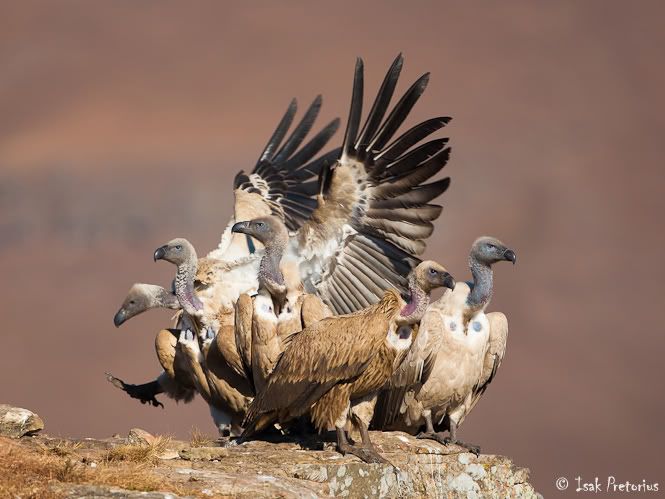
Vulture family
Drakensberg, South Africa
Canon 1D Mark III | 500mmf/4 | 1/2000 sec at f/4.5, ISO 125


Catching breakfast
Botswana, South Africa
Canon 1D Mark III | 600mmf/4 | 1/2000 sec at f/5, ISO 800


I hope these words of advice will help you in your pursuit to take better bird photographs!